
Review, commit, merge
Everything an agent changes is in git. Splitkick shows it to you before it goes anywhere.
Diff
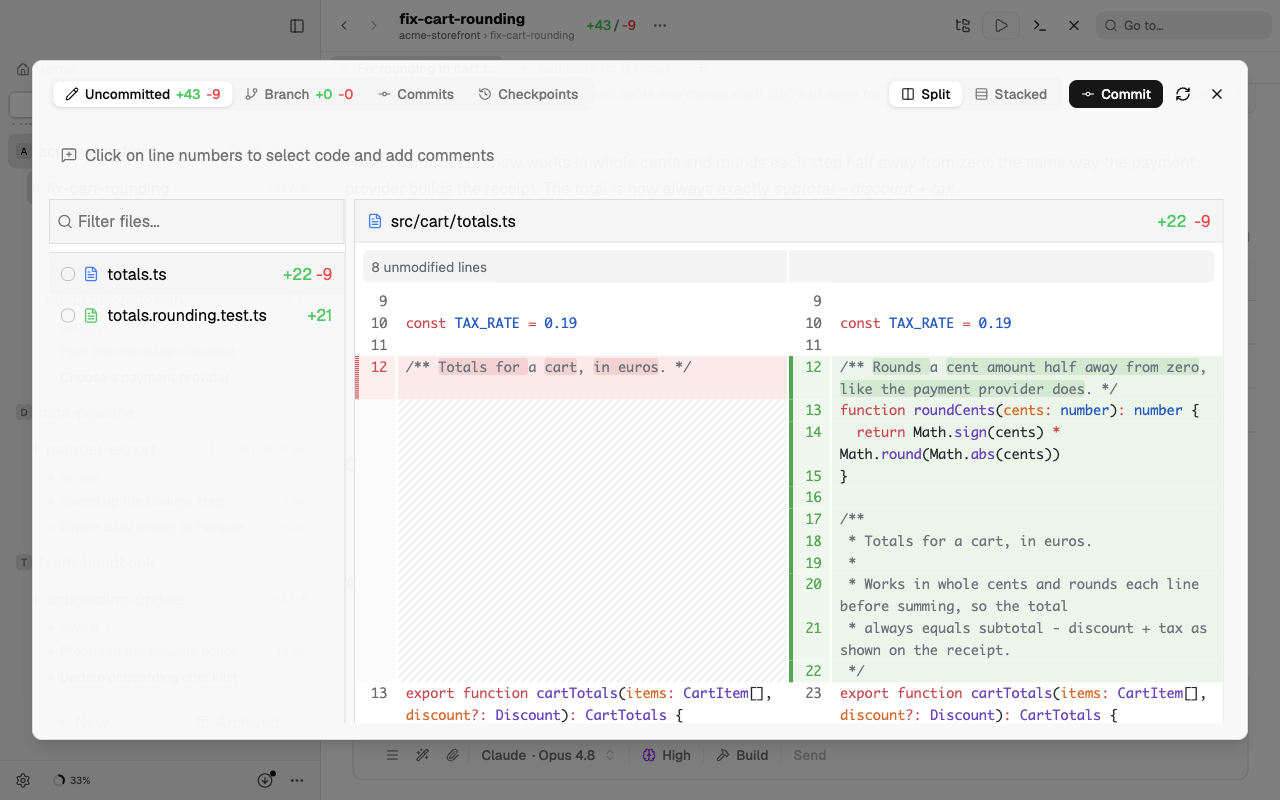
Open the diff for a worktree to see every change against the base branch, unified or side by side. Files you do not want can be reverted from here.
Checkpoints
Before each agent turn, Splitkick saves a snapshot of the worktree: a checkpoint. It does not change your branch or your index. With a checkpoint you can see what a turn changed and undo it.
- Open the diff (⌘G) and go to the Checkpoints tab, or press
4in the diff. The tab lists the checkpoints, newest first. You can restore single files there. - When a turn edited files, a Restore icon shows next to Copy when you hover over your prompt. The Edited files row of the answer has a Restore button too.
- Restore turn first checks each file of the turn for later changes.
You can restore in these ways:
- Only the files that nothing changed later.
- All files of the turn. This can overwrite later edits of other sessions.
- With AI help: for text files with later changes, an agent proposes a merge for each file. You see the proposal before anything is written. One proposal covers at most 8 files.
- The full worktree, back to the state before the turn. This deletes later work that is not committed.
No restore changes the worktree until you click Approve.
Checkpoints belong to the worktree, not to the session. Splitkick keeps the last 100 checkpoints of each worktree. A plain project has no checkpoints.
Review
Run a review on the worktree. Findings are tracked one by one, so you can tick them off or hand them back to an agent. CodeRabbit can run the review if you have its CLI installed.
Commit
Commit from the worktree with a message written for you from the diff, or write your own. Splitkick runs your normal git, with your hooks and signing settings.
Pull request and merge
- GitHub: generate the PR text, open the PR, watch its checks, and merge it; a merged PR can archive its worktree. Details in GitHub.
- Any other remote (Forgejo, Gitea, GitLab, self-hosted): push the branch and open the PR on that server's website, or let an agent do it with the server's command-line tool. See Forgejo and Gitea.
- Merge conflicts: Splitkick fetches and merges the base branch and hands conflicts to an agent for a proposal.
- Release notes can be generated from the commits between two points.
Throw it away
Nothing worked out? Archive or delete the worktree. The base branch never changed.