
Fork a session
A fork copies a session's conversation into a new session that you continue in another direction. The original session does not change.
Fork when you want to try a second approach without losing the first, or when a conversation went the wrong way and you want to go back to an earlier point.
Three ways to fork
| Files | Starts from | |
|---|---|---|
| Fork Session (same Worktree) | The same files as the original | The last finished answer |
| Fork Session (new Worktree) | A new worktree with a copy of your uncommitted changes | The last finished answer |
| Fork from here | The same files as the original | The message you right-clicked |
Fork Session (same Worktree)
Makes a new session tab next to the original, in the same folder. Use it to ask the same agent a different question about the same code.
Fork Session (new Worktree)
Makes a new git worktree from the current branch, copies your uncommitted changes into it, and puts the fork there. The two sessions then work on separate copies of the files and cannot disturb each other. Use it to try a risky change while the original session keeps working.
Both are in the session menu: right-click the session in the sidebar, in the tab bar or in a pinned row. Or press ⌘M for the Magic menu and press H (same worktree) or W (new worktree).
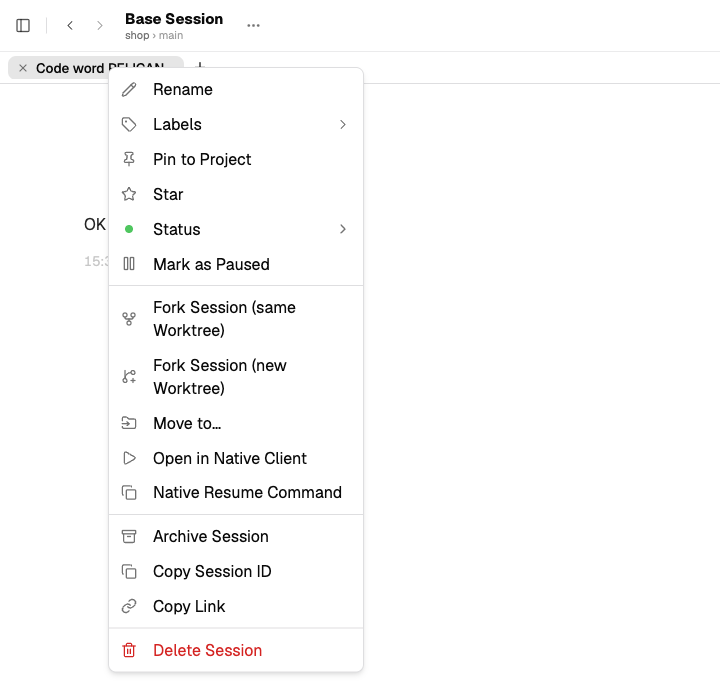
The session menu has both fork actions: Fork Session (same Worktree) and Fork Session (new Worktree).
Fork from here
Right-click a message in the chat and choose Fork from here. The fork keeps the conversation up to that point and drops everything after it.
- Right-click an agent answer: the fork ends with that answer.
- Right-click your own message: the fork ends just before it, so you can write a different prompt at that point.
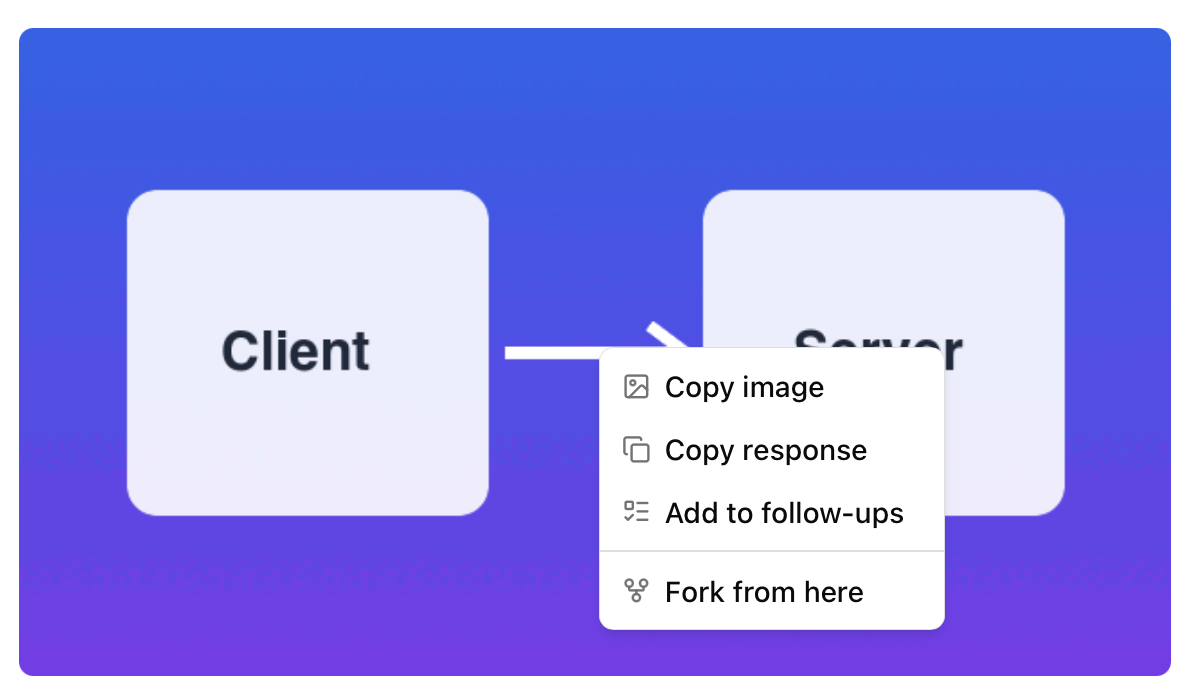
Fork from here is in the right-click menu of every message, here on an agent answer with an image.
What the fork keeps
- The visible conversation, the agent, the model, the thinking or effort level.
- Contexts, issues and pull requests that you attached to the session.
- The artifacts of the session, with all their saved versions (since 1.5.3).
- The agent's context: a fork is not a fresh start. From your first message, the agent can answer questions about the earlier conversation.
The fork is named "Fork of <original name>" until it gets a name from its own conversation. At the top of its chat it shows Forked from '…', with a link to the original; see Cross-session workflows.
What the fork does not keep
- Queued messages, open permission requests and a scheduled job.
- Checkpoints. You cannot restore a checkpoint that the original session took; the fork takes its own.
While a turn runs
You can fork a session while the agent is still working. The fork starts from the last finished answer; the running turn stays in the original session only.