
Agent CLIs and modes
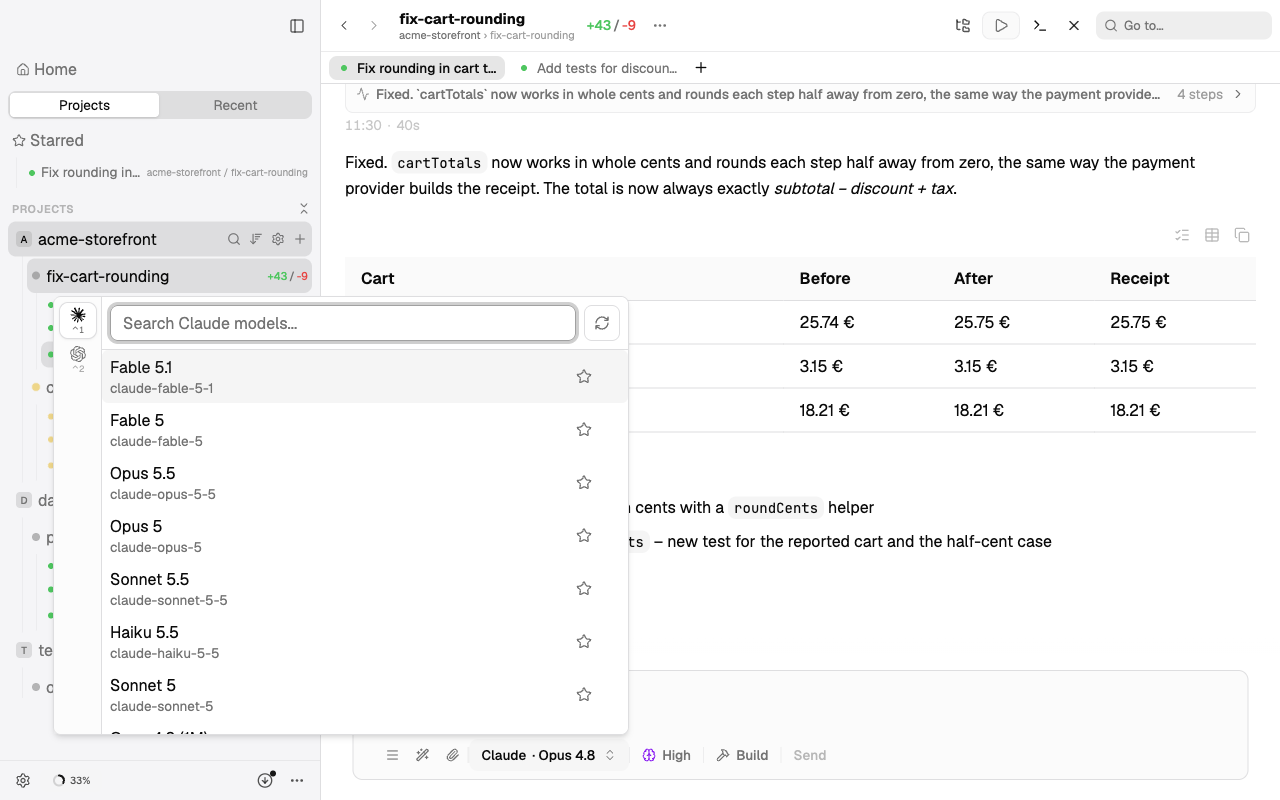
Splitkick runs the agent CLIs you already have. It never sees a password and has no account of its own.
Agents
| Agent | Note |
|---|---|
| Claude Code | Your Claude Pro or Max plan through the signed-in CLI. Splitkick only reads the login; it never refreshes it, so you do not get logged out elsewhere. You can use several Claude accounts (Beta). |
| Codex | ChatGPT plan through the signed-in CLI. |
| Cursor | Cursor CLI. |
| OpenCode | OpenCode CLI. |
| Pi | npm-managed CLI. |
| Command Code | npm-managed CLI. |
| Grok | npm-managed CLI. |
| Kimi Code | npm-managed CLI. |
| Antigravity | Antigravity CLI. |
| CodeRabbit | Review only: CodeRabbit CLI runs a review of the worktree. |
Settings show, per agent, whether the CLI was found, which account is signed in and how much of your plan is used. For Claude you can add more accounts in Settings → Claude → Accounts; see Several Claude accounts.
TIP
Agent profiles (persona, graph permission, default model) are in Graphs and agents.
Modes
Every session has a mode. You can change it between turns.
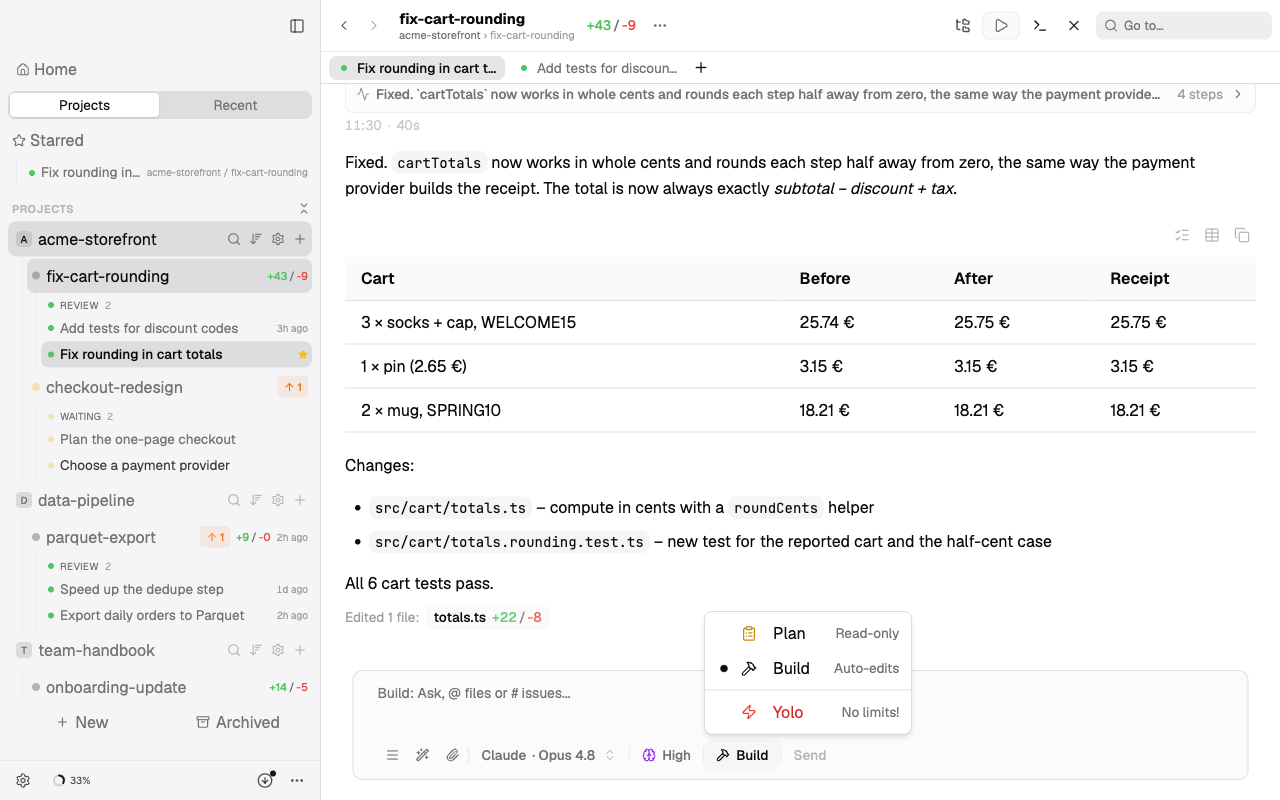
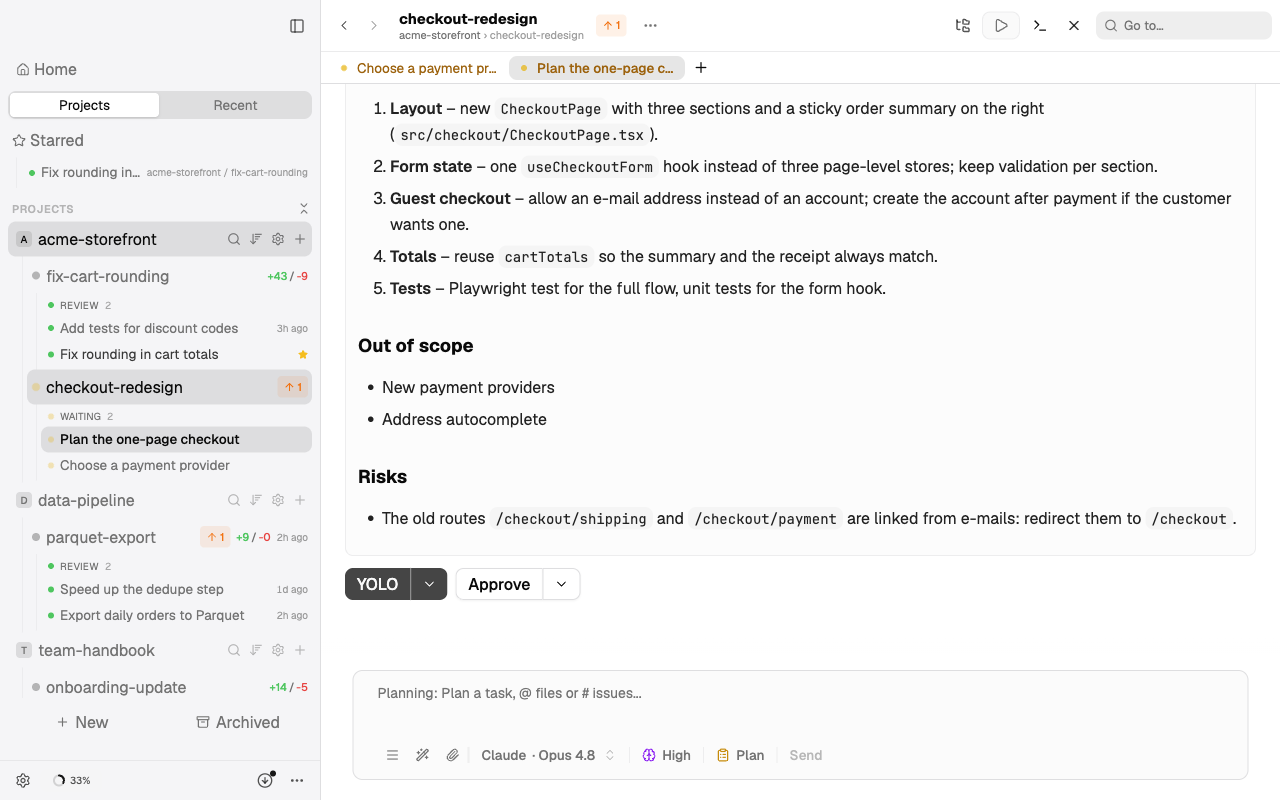
- Plan. The agent reads and thinks but does not change files. It ends with a plan that you approve or send back.
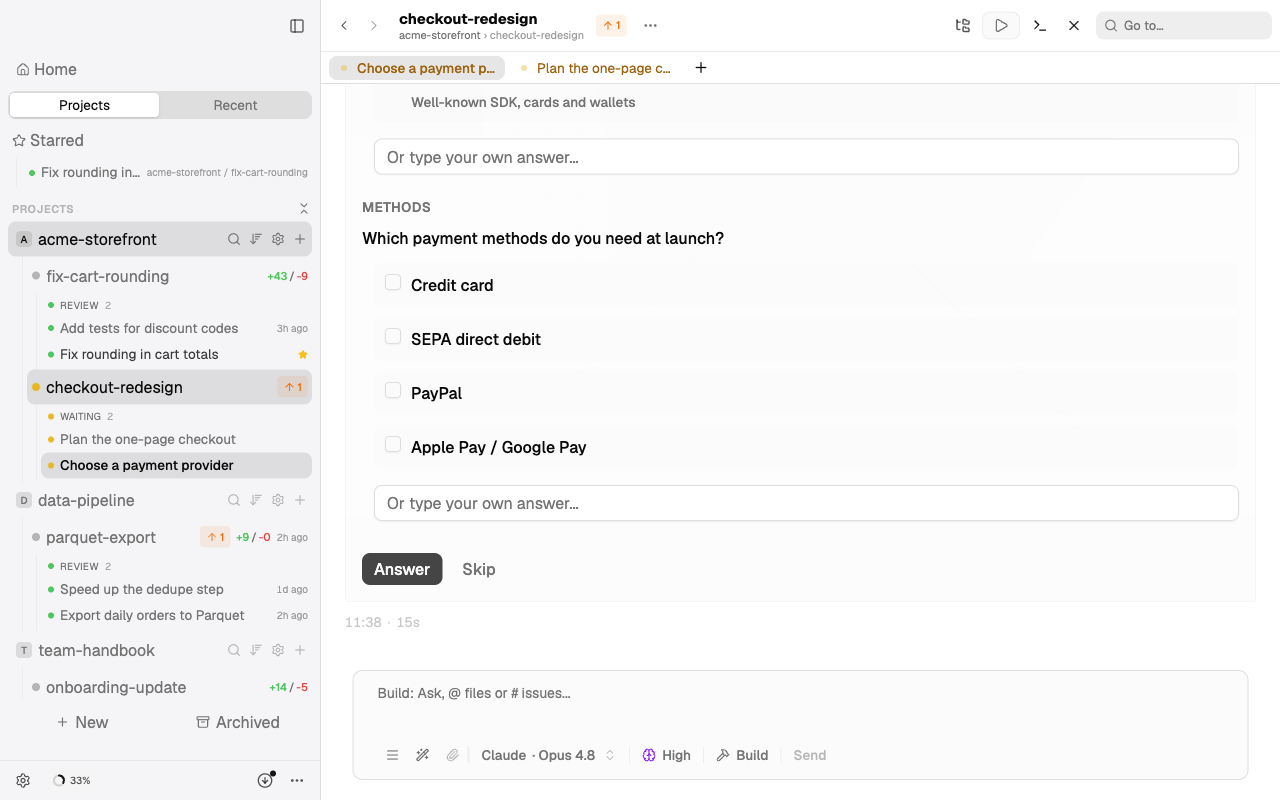
- Build. The agent edits files and runs commands, and asks you before anything it is unsure about. Agent questions appear in the session and on the phone.
- Yolo. No questions. Use it in a worktree you can throw away.
A plan waits for you at the end of the session. Approve runs it in Build mode, YOLO runs it without questions:
When an agent asks a question, the session waits and shows the choices:
Model and effort level are set per session and can differ per mode.
While a session runs
- Fork a session from any message, also while it runs, to try a different direction in a new session. See Fork a session.
- Cancel safely: your prompt goes back into the composer, the conversation is kept.
- Queue the next prompt: a prompt sent while the agent works, or just after a reply, waits in the queue and runs when the agent is free.
- Write the next question on the follow-up list and send it when you are ready.
- Star, pin, label, pause or sort sessions; a draft marker shows unsent text.
- Home and Recent list sessions across all projects; search covers names and messages.